Hob
Hob is Frigade’s open-source desktop AI coworker for macOS, Windows and Linux. It runs supported open-weight models on your computer through llama.cpp and works on files, PDFs, charts and code. Its model downloads, web tools, package installation and optional connectors can use the network; offline behavior depends on those settings.
Read the official documentation ↗Why it matters
Frigade’s MIT desktop coworker selects local open-weight models for files, PDFs, charts and code, with optional network access.
A local file-and-document workflow
The project shows Hob reading a sales spreadsheet, creating charts and summarizing results. Its documentation describes projects and folders, sandboxed Python, image input through a separate vision model, local dictation and plugin/MCP support. The screenshot is a publisher workflow example, not an independently verified task outcome.
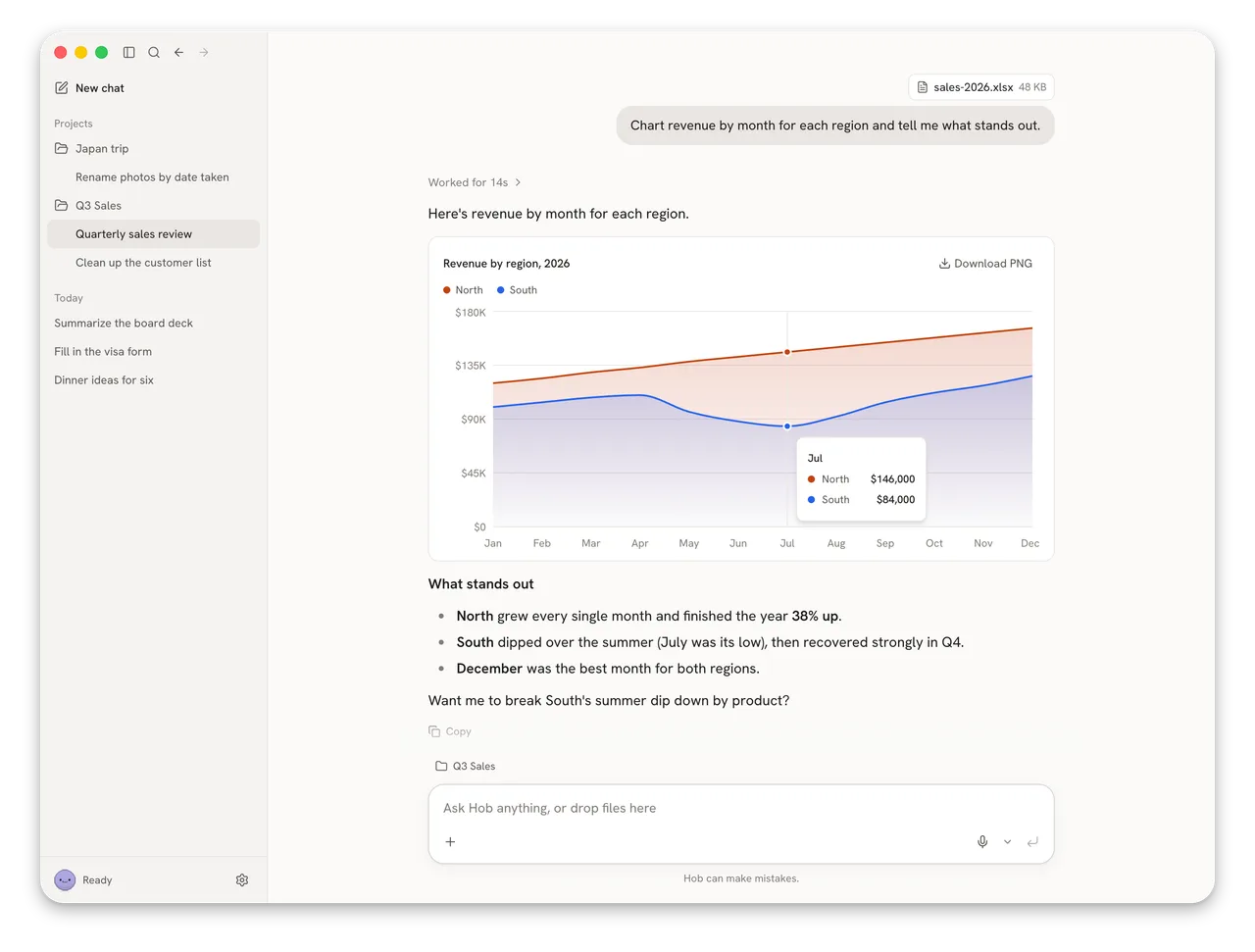
Frigade’s Hob workflow screenshot. A publisher example of local spreadsheet and chart work; GetLLMs did not execute this task.
Frigade · Hob repository screenshot (MIT) · Open full-size image
Models and hardware are not one fixed contract
The documented model selection depends on RAM and accelerator support. The guide gives Mac examples of Gemma 4 E4B Compact at 8 GB, E4B at 16 GB and 26B from 24 GB, with gpt-oss 120B for workstations. These are publisher configuration examples, not measured GetLLMs hardware requirements or a guarantee for every operating system. Model licenses remain separate from Hob’s MIT software license.
When the app goes online
The documentation says chats and files stay local and that Hob has no telemetry. These are project statements, not a completed independent network audit. Initial downloads and model checks go online; enabled web access also permits web search, data fetches and Python package installation. Added connectors can contact remote services. Disable web access and review connectors for an offline task.
A first task you can check
Download from the official release page, start with a disposable copy of one document and inspect the proposed changes. The project describes approval before folder changes and Undo per task; verify those controls on your files before granting broader access. Hob is a desktop coworker using external models, not its own hosted model API or a replacement for every coding harness.
- Hermes Agent
A different runtime for configurable agent and coding workflows.
- Agent Skills
Reusable instructions are separate from execution permissions.
Useful first jobs
- Local document and spreadsheet tasks.
- Charts and data analysis using local models and tools.
- Desktop workflows with optional web and MCP connections.
Frequently asked questions
Does Hob always work without internet?
No. Models must first be downloaded, and enabled web tools, package installation or connectors can contact remote services. The project documents an offline setting; verify your selected workflow and connectors.
Is Hob a new language model?
No. Hob is desktop software that selects and runs external open-weight models through llama.cpp. Their capabilities, model files and licenses remain separate from the application.
Sources and evidence
Current publisher documentation controls the documented contract. Publisher examples and evaluations are attributed; GetLLMs has not executed the model or installed the software for this review.
- Hob documentation, pinned source ↗
Frigade · Primary source
- Hob official releases ↗
Frigade · Primary source
- Hob MIT license ↗
Frigade · Primary source
- Show HN: Hob ↗
Hacker News · Community experience